

Multiple Angles
Generate new camera angles from a single input image without needing a 3D model.
Open page in AI / Copy page prompt
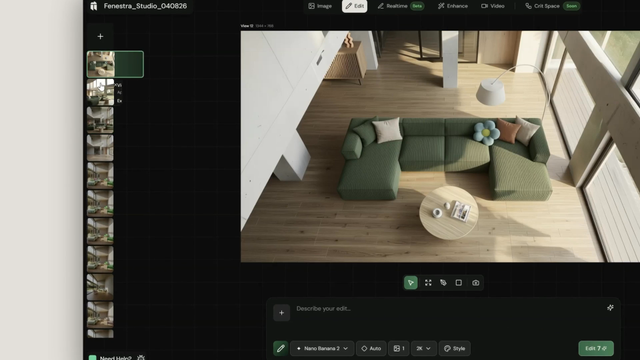
Select your image
Click Edit and upload an image or browse your assets to select an existing generation.

Set your camera angle
Click the Camera icon in the Edit toolbar. Use the orbit widget to position your camera:
- Rotate — orbit horizontally around the subject
- Vertical — raise or lower the angle
- Zoom — move closer or further from the subject
Small adjustments produce the most consistent results.

Generate
Click Edit to generate. In most cases you don't need a prompt — the camera position is enough to guide the output. Your results will appear in the feed.


Ready to go further? Try working with 3D models in Edit or explore camera presets for image-to-video.